Omarchy add-ons
Eight small widgets for the Omarchy desktop bar, built for how I work: agents on several machines, projects, previews and a calmer desktop. Each installs with omarchy plugin add.
Needs Omarchy with Quickshell plugin support. Each README lists any extra requirement.
Add-on 1 of 8
Herdr
Your Herdr workspaces in the bar, here or on a server over SSH, with the state Herdr itself reports: waiting, working, done or idle. The icon turns urgent only when an agent is really blocked on you. Click a workspace to open it.
omarchy plugin add https://github.com/andreconde21/omarchy-herdr.git --enable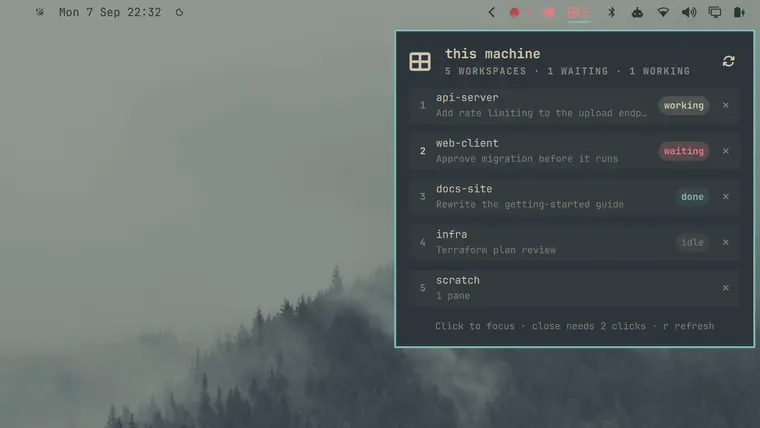
Add-on 2 of 8
Remote tmux
tmux sessions on another machine, polled over SSH. Each window shows waiting, working, ready, busy, done or idle, with Claude Code states read from the pane. Attach in a local terminal, or kill a window with a two-click confirm.
omarchy plugin add https://github.com/andreconde21/omarchy-remote-tmux.git --enable --yes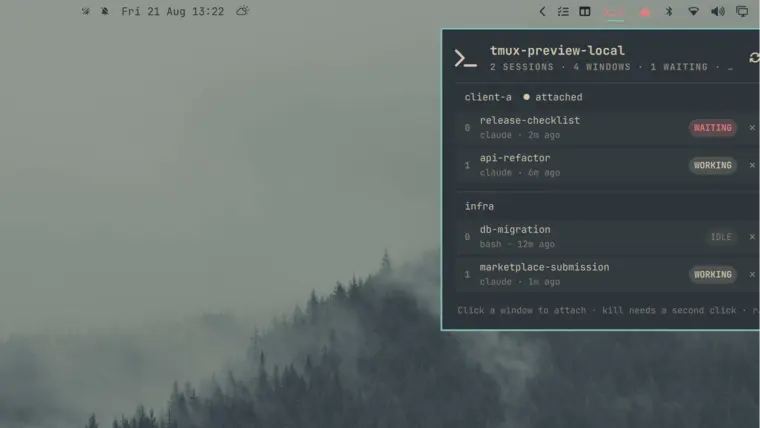
Add-on 3 of 8
Project Focus
Start a project from the bar: jump to its workspace, run its launch commands and apply a focus mode that can silence notifications and keep the screen awake. Projects and modes are edited in the panel, no JSON.
omarchy plugin add https://github.com/andreconde21/omarchy-project-focus.git --enable --yes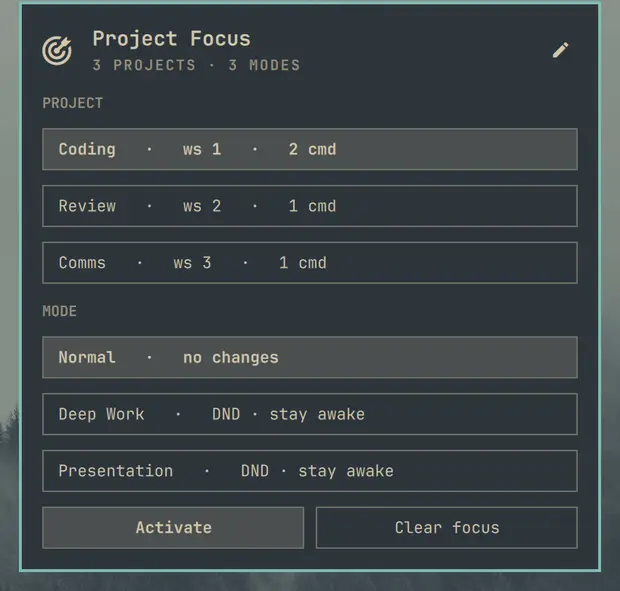
Add-on 4 of 8
Quick Look
macOS-style preview for Files. Select a file, press Space, and it appears rendered: images, PDF pages, a video still, cover art, code, folders and archives. Space again closes it.
omarchy plugin add https://github.com/andreconde21/omarchy-quick-look.git --enable --yes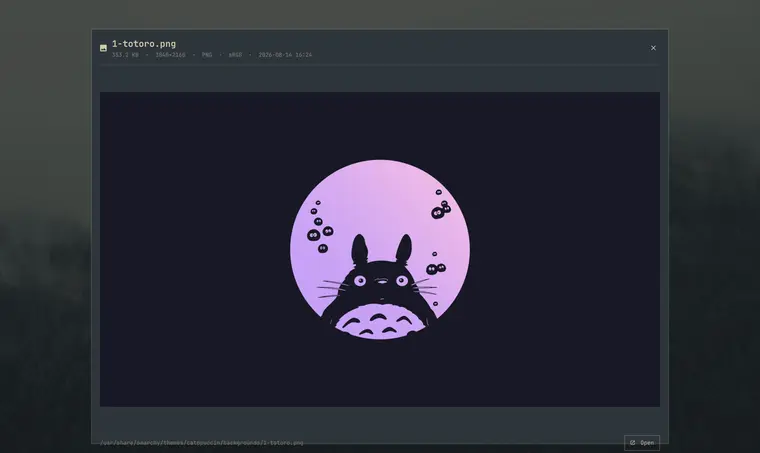
Add-on 5 of 8
Quattro Corners
Hot corners: push the pointer into a corner, hold briefly, and that corner's action fires. Useful defaults (Omarchy Menu, notifications, clipboard history, Do Not Disturb), adjustable hold time and corner size.
omarchy plugin add https://github.com/andreconde21/omarchy-quattro-corners.git --enable --yes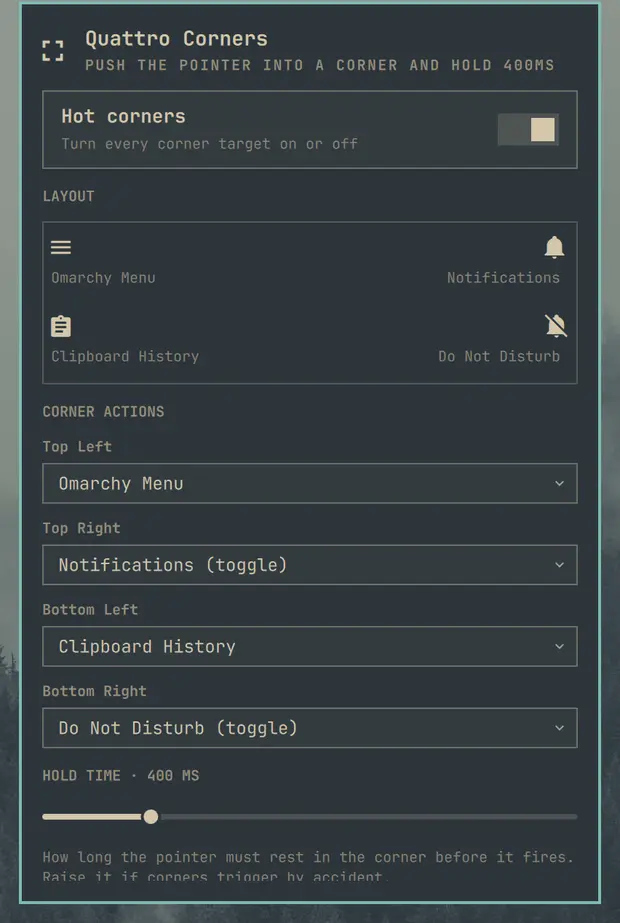
Add-on 6 of 8
Bar Studio
Arrange the bar itself: move widgets between left, center and right, reorder them, tuck them into the tray, change position and transparency, and save the whole bar as a profile like Work or Presenting.
omarchy plugin add https://github.com/andreconde21/omarchy-bar-studio.git --enable --yes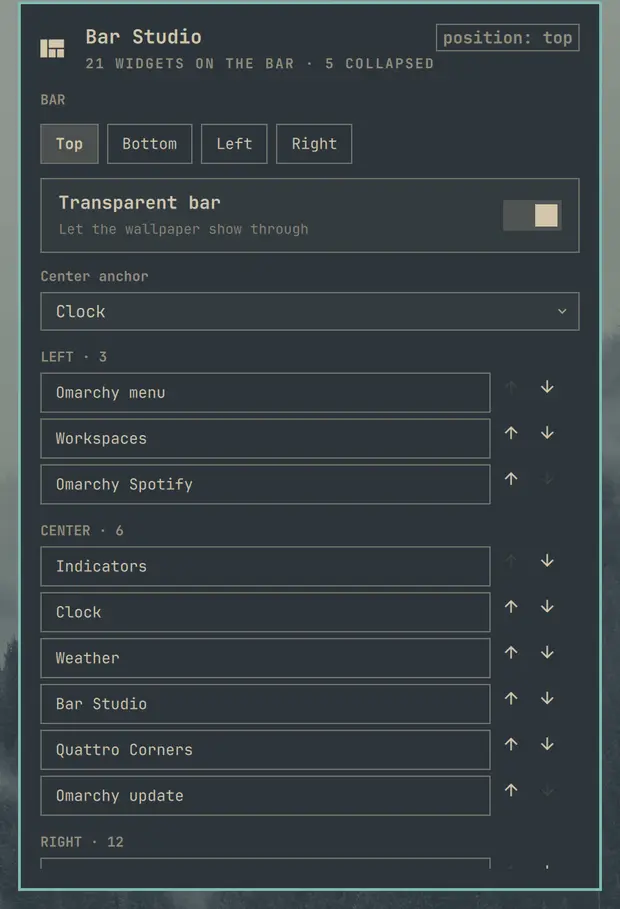
Add-on 7 of 8
Restore
Browse your Snapper snapshots with age, description and pre/post pairs, create a new one, start a restore behind a confirmation, or open a root shell inside a snapshot to recover one file.
omarchy plugin add https://github.com/andreconde21/omarchy-restore.git --enable --yes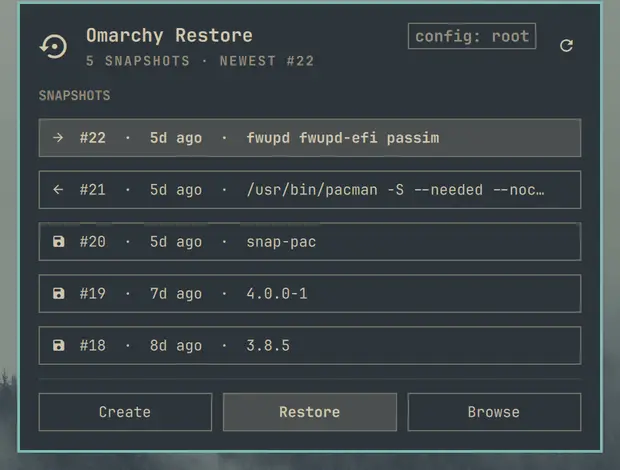
Add-on 8 of 8
Cockpit Companion
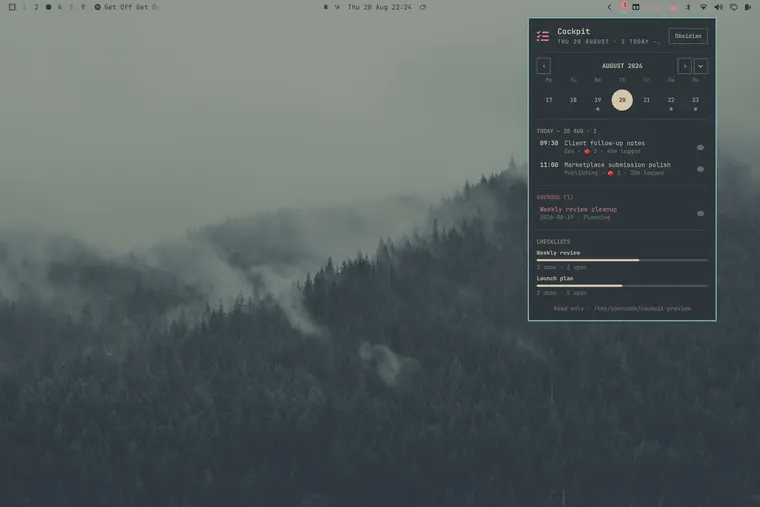
Your Cockpit Board week in the bar, expandable to a month, with the selected day's tasks, overdue ones highlighted, checklist progress and a pomodoro timer. Read-only: it never writes to the vault.
omarchy plugin add https://github.com/andreconde21/omarchy-cockpit-companion.git --enable --yes